Microsoft Teams games: how to play and connect at work
Microsoft Teams has 360 million monthly active users and is used by 93% of Fortune 100 companies. It has become the default infrastructure for modern work. And for most of those users, it is a place where tasks get assigned, meetings get scheduled, and messages go unanswered for slightly too long.
The tool works. The connection often doesn't.
Teams was built for communication. It was not built for the kind of low-pressure, human interaction that makes a group of colleagues feel like a team rather than a roster. That gap is exactly where Microsoft Teams games come in, not as entertainment bolted onto a work platform, but as a deliberate mechanism for building the social layer that task-based communication cannot create on its own.
Key highlights
- Microsoft Teams crossed 360 million monthly active users and 220 million daily active users by June 2025, with messages per person averaging 153 per workday. Most of those messages are work-related. Very few create genuine social connection.
- Gallup's 2024 State of the Global Workplace report found that only 21% of employees globally feel engaged at work, and 60% of managers find it harder to connect with remote employees than in-office teams.
- Research published in Scientific Reports found that team behavioral interdependence in multiplayer games significantly increases collaboration and communication quality, mirroring the dynamics of high-performing workplace teams.
- Games that run inside Microsoft Teams, rather than requiring a separate platform, see significantly higher participation rates because they eliminate the adoption friction that causes most team-building initiatives to lose momentum after the first session.
- The most effective Microsoft Teams games for work are formats that create a recurring reason to interact: daily puzzles with shared leaderboards, weekly trivia sessions, and tournament brackets that run alongside the regular workweek.
Why Teams needs a game layer
If your team's only interaction in Teams is task updates and meeting links, you already know the problem. The tool is efficient. The relationships are not growing.
From 153 Teams messages per person every workday to employees interrupted 275 times daily and 57% of the workweek consumed by communication alone, Teams has become both the backbone of modern collaboration and a leading source of workplace overload. The irony is that more communication does not mean more connection. Most of it is functional: status updates, requests, notifications, and the particular conversational style that emerges when every interaction is implicitly on the record.
The social interactions that build trust, rapport, and the sense of belonging that Gallup identifies as foundational to engagement happen in the margins: the five minutes before a meeting starts, the hallway conversation that was not about work, the shared moment over something that had nothing to do with the project. Remote and hybrid work has systematically eliminated these margins.
Games restore them. A daily puzzle posted in a team channel gives people a reason to open the channel before the first task of the day. A weekly trivia session gives a distributed team a shared moment that is not a status meeting. A tournament bracket gives people something to check on and talk about that has nothing to do with deliverables. These are not distractions from work. They are the social infrastructure that makes work more sustainable.
How games work in Microsoft Teams
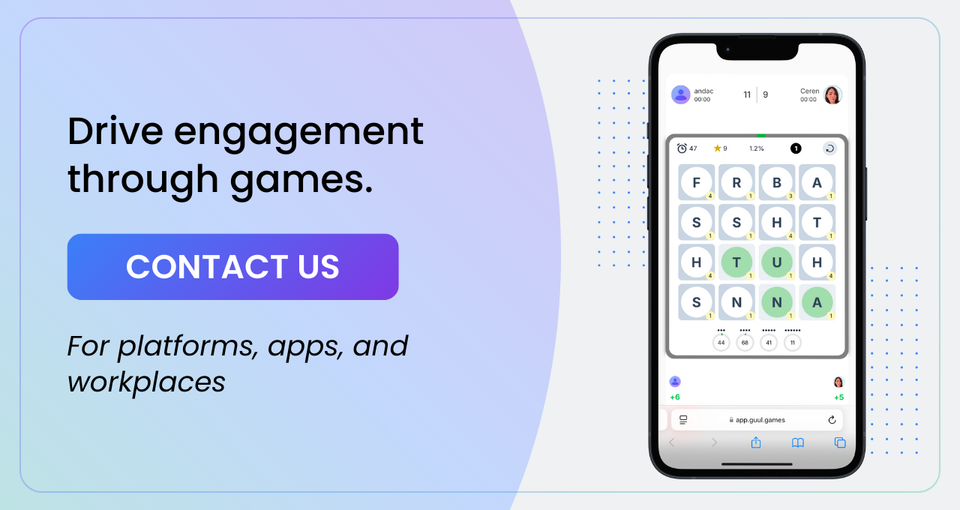
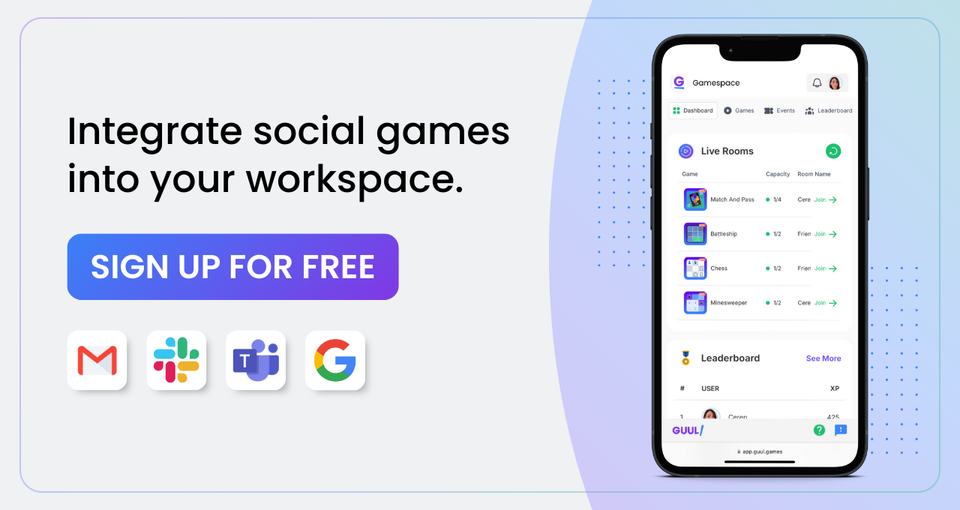
For Teams users, GUUL games run directly inside channels. A game link shared in a channel opens the game in the GUUL web app, which users access without creating a new account. Sign-in uses their existing Microsoft credentials. There is no separate app to install, no separate platform to navigate to, and no context switch that interrupts the workday.
No new tool. No new login. The game is just there, in the channel they are already in.
This matters more than it sounds. The single biggest predictor of whether a team-building initiative becomes a habit or dies after two sessions is friction at the point of entry. When playing requires opening a new tab, creating an account, and learning a new interface, most people do not do it consistently. When the game is one click away in a channel they check twenty times a day, they do.
For HR and People teams deploying Microsoft Teams games for work at scale, this means adoption does not require a change management campaign. It requires a channel post and an invitation.
Microsoft Teams games by format: what works when
The most common mistake in deploying games on Microsoft Teams is treating all formats as interchangeable. They are not. Different game formats serve different engagement goals and fit different moments in the workday.
| Format | When it works best | Primary benefit | Session length |
|---|---|---|---|
| Daily puzzle (Wordle, Nerdle, Sudoku) | Morning channel ritual | Daily habit, streak formation | 5 min |
| Live trivia session | Start of a team meeting or all-hands | Energy, shared moment, icebreaker | 10-20 min |
| Multiplayer game (Scrabble, Chess, Battleship) | Async in channel over a day or week | Peer relationship, banter, rivalry | Flexible |
| Prediction game | Around live events, product launches | Anticipation, shared outcome | 2 min entry |
| Tournament (bracket or leaderboard) | Quarterly or monthly team event | Competitive arc, cross-team bonds | Multi-day |
| Tombola or raffle draw | Recognition moments, milestones | Reward, shared anticipation | 5 min |
Synchronous formats (trivia, live events) work best when the team is already gathered or when a shared moment is the explicit goal. They require coordination but produce the most immediate social energy.
Asynchronous formats (daily puzzles, multiplayer games in channels) work best as always-on rituals that do not require scheduling. They are more inclusive for distributed or hybrid teams because participation is not time-dependent.
The most effective Microsoft Teams game programs combine both: a daily async ritual that creates a baseline of interaction and a periodic synchronous event that creates a shared community moment.
Games on Microsoft Teams: use cases by scenario
Onboarding: New employees playing a quick multiplayer game with their team in the first week form peer relationships faster than those who are introduced only through formal meetings. A paired Chess or Scrabble game between a new hire and their buddy creates a shared history and an organic reason for follow-up conversation. Research on 90-day retention consistently finds that early peer relationship formation is the strongest predictor of whether a new employee stays.
Weekly team ritual: A daily puzzle posted to the team channel every morning, with a leaderboard visible to all, creates a recurring low-stakes interaction point that does not require anyone to organize anything after initial setup. The team competes, compares scores, and has something to talk about that is not a project status.
All-hands and meeting warm-up: A five-minute live trivia round at the start of an all-hands meeting shifts the energy before the agenda begins. It works particularly well for large distributed meetings where the default is passive participation from most attendees.
Cross-functional connection: A tournament bracket that mixes participants across departments or locations builds the cross-functional relationships that standard team activities rarely reach. People who have played against each other in a game have a social history that makes subsequent professional collaboration easier.
Remote culture building: For fully remote teams, games to play on Microsoft Teams with coworkers replace the informal social texture that physical proximity used to provide. The game is not the goal. The conversation it creates, the ongoing rivalries it generates, and the shared leaderboard it maintains are what build the culture.
Games to play on Microsoft Teams with coworkers
GUUL's game library inside Teams covers the formats that work across the use cases above.
For daily rituals: Wordle-style word games, Nerdle (number puzzles), Sudoku, and Boogle all reset every 24 hours and feed into a shared leaderboard. Any team member who plays that day appears on the same leaderboard, creating a passive social experience from a solo activity.
For peer-to-peer play: Scrabble, Chess, Battleship, Connect4, and Backgammon support real-time or async matchmaking between two players. A channel post inviting "anyone to a quick Scrabble match" takes thirty seconds to set up and creates a conversation that can run across the day.
For team-wide events: Live Trivia, Tombola, Wheel, Raffle, Prediction games, and Tournament formats are scheduled through the Gamespace event calendar and run directly in the Teams environment. A weekly trivia night, a monthly department tournament, or a prediction game around a live event all require setup once and then run on schedule.
For icebreakers: Short Trivia rounds with custom questions about the team or company, quick reaction games, and paired challenge formats all work as meeting openers without requiring more than a few minutes.
How to get started with GUUL in Microsoft Teams
GUUL is available on Microsoft AppSource and installs into any Teams environment in minutes. Once installed, game access is available to all users in the organization through their existing Microsoft login. There is no per-user setup, no additional credentials, and no training required to play.
To deploy a game layer in a team:
- Install GUUL from Microsoft AppSource
- Share a game link in any channel you want to activate
- Pin the daily puzzle to the channel for ongoing access
- Schedule a live event through the Gamespace Scheduler for a team-wide moment
The Scheduler lets HR and team leads plan a calendar of game events in advance: a weekly trivia session, a monthly tournament, a quarterly prediction campaign. Once scheduled, the events run automatically at the configured time and notify participants within Teams.
For organizations that want the game layer connected to a broader loyalty or engagement infrastructure, the Gamification API links game outcomes, user scores, streak data, and leaderboard positions to the organization's existing HR or engagement systems.
What to measure
The metrics that tell you whether Microsoft Teams games are working are the same ones that tell you whether any engagement initiative is working.
Participation rate across the team, not just among already-engaged members, shows whether the format is accessible enough to reach the people who need connection most.
Return participation rate measures whether people who play once come back. A format that captures attention on day one but not day seven has not created a habit.
Channel activity in the channels where games are deployed compared to channels without games shows the baseline interaction effect. Teams with active game channels consistently show higher non-game message frequency in the same channel, because the game creates a conversational environment.
Engagement survey scores at 60 and 90 days for teams with active game formats compared to control groups give HR teams the cleanest evidence base for whether the investment is producing the team connection outcomes it was designed for.
Key takeaways
- Microsoft Teams is where work happens for 360 million people. Games embedded in Teams do not require users to go anywhere new, create any new accounts, or learn any new tools. The game is in the channel they are already in.
- Synchronous game formats create shared moments. Asynchronous formats create daily rituals. The most effective programs combine both.
- Games to play on Microsoft Teams with coworkers work best when they are treated as permanent fixtures rather than one-off events. A daily puzzle that runs every day builds a habit. A one-time trivia session does not.
- Cross-functional tournament formats build the relationships across teams and departments that structured meetings rarely produce. Mix participants intentionally.
- Measure participation rate, return participation rate, and engagement survey scores at 60 and 90 days. These three metrics tell you whether games on Microsoft Teams are producing the team connection outcomes that justify the investment.
FAQ
What are Microsoft Teams games? Microsoft Teams games are playable game formats that run within the Microsoft Teams environment, accessible through channels without requiring a separate platform, new account creation, or context switching. They range from daily puzzles with shared leaderboards for ongoing team rituals to live trivia events for meeting warm-ups to multiplayer games for peer-to-peer interaction. GUUL's integration with Teams makes these formats available through Microsoft AppSource, with sign-in via existing Microsoft credentials.
How do games on Microsoft Teams improve team engagement? Games create the low-pressure social interactions that task-based communication cannot produce. Research shows that teams with regular shared game experiences develop stronger peer relationships, higher psychological safety, and better communication patterns than teams with purely functional interaction. In the Microsoft Teams environment specifically, games give remote and hybrid teams a recurring reason to interact that is not tied to work deliverables, building the social connection that Gallup's research identifies as foundational to sustained engagement.
What games for Microsoft Teams work best for remote teams? For remote teams, the most effective formats are those that do not require scheduling: daily puzzles posted to a channel, async multiplayer games between pairs or small groups, and leaderboard-based challenges that participants can engage with at any point in their workday. These create ongoing connection without imposing meeting-style time commitments. Periodic synchronous formats like live trivia or tournament events work well as scheduled community moments that give the team something to anticipate and discuss.
Can you play games on Microsoft Teams without installing a separate app? Yes. GUUL's integration with Microsoft Teams allows gameplay through the GUUL web app, accessible via a link shared in any Teams channel. Users sign in with their existing Microsoft credentials. There is no separate app to download, no new platform to navigate, and no account creation outside of the organization's existing Microsoft environment. GUUL is available on Microsoft AppSource for organization-wide deployment.
How do Microsoft Teams games for work differ from general team building activities? Microsoft Teams games for work are embedded in the tool the team already uses, which eliminates the adoption friction that causes most team-building initiatives to lose momentum. They run on a recurring cadence rather than as episodic events, which means they build habits rather than producing a one-time experience. And they produce measurable data: participation rates, return visit rates, and streak data all provide evidence of engagement that episodic team-building activities cannot generate.
Get GUUL on Microsoft AppSource and add games to your Teams →
Sources
- SQ Magazine (2025). Microsoft Teams Statistics 2026. 360 million MAU by June 2025, 220 million DAU, 153 messages per person per workday. https://sqmagazine.co.uk/microsoft-teams-statistics/
- SpeakWise (2026). Microsoft Teams Statistics 2026: Chat Volume, Meeting Hours, and Collaboration Platform Overload. 275 interruptions daily, 57% of workweek in communication. https://speakwiseapp.com/blog/microsoft-teams-statistics
- Gallup (2024). State of the Global Workplace: 21% global engagement, 60% of managers struggle to connect remotely. https://www.gallup.com/workplace/349484/state-of-the-global-workplace.aspx
- Carrasco-Farré, C. and Hakobjanyan, N. (2024). Team behavioral interdependence and collaboration in multiplayer games. Scientific Reports, 14, 7850. https://doi.org/10.1038/s41598-024-57919-w
- Microsoft AppSource. GUUL Gamespace for Microsoft Teams. https://appsource.microsoft.com/en-us/product/office/WA200005886