Icebreakers for meetings: 10 ideas that actually work

Icebreakers for meetings: 10 ideas that actually work
Icebreakers for meetings work when they lower the barrier to participation without making anyone feel put on the spot. The formats that consistently fail are the ones that require performance, vulnerability, or a level of comfort that new or distributed teams do not yet have. The formats that work are short, low-stakes, and produce a visible shared result within the first five minutes. This list covers ten options split across two categories: no-tool activities that anyone can run without setup, and in-meeting game formats that run directly inside Microsoft Teams and Google Meet without switching platforms.
Key Highlights
- The most effective icebreakers for meetings resolve in under five minutes and produce a visible shared result that the whole room can react to simultaneously.
- No-tool icebreakers work for any meeting context but require a facilitator to keep energy up; in-meeting game formats generate engagement automatically through competitive mechanics.
- GUUL's multiplayer games run directly inside Microsoft Teams and Google Meet with mics and cameras on, turning a standard video call into a live shared experience without changing platforms.
- Fun ice breakers for work perform better when they involve light competition rather than personal disclosure; ranking and scoring create engagement without requiring vulnerability.
- For virtual meetings specifically, formats that produce a real-time visible result on screen outperform verbal-only activities because they give participants something to react to together.
Why icebreakers for meetings work
The problem icebreakers solve is not awkwardness. It is activation. A meeting that starts with agenda items immediately puts participants in passive reception mode. The first person to speak sets the energy level for the room, and in most meetings that person is the meeting owner, which means everyone else starts in listening mode rather than participation mode.
An icebreaker interrupts this pattern by requiring everyone to do something before the formal agenda begins. The key word is everyone. An activity where one person performs while others watch is not an icebreaker. It is a presentation. The formats that genuinely activate a room are those where every participant is doing something simultaneously, even if that something is just answering a quick poll or making a move in a game.
For virtual meetings, the activation problem is more acute. Camera-off participants are invisible, which makes it easy to disengage entirely before the meeting begins. A well-chosen ice breaker for virtual meetings forces cameras on and creates a moment where being present visibly matters.
No-tool icebreakers
These five activities require no platform, no setup, and no technology beyond the video call already in progress. They work for any team size and any meeting context.
1. One-word check-in
Each participant says one word that describes how they are arriving to the meeting. No explanation required. The facilitator goes first to model the format, then moves quickly around the room. The speed is what makes it work: because no one has time to overthink their answer, the responses are genuine. The round typically takes 60 to 90 seconds for a team of ten and immediately establishes that everyone has a voice in the room.
- Best for: Any meeting, any team size, any context
- Why it works: Forces every participant to speak before the agenda begins, with no performance pressure
2. Two-question poll
Before the meeting starts, the facilitator prepares two light questions unrelated to work and runs them as a live poll in the first two minutes. Questions work best when they have clear preferences rather than open-ended answers: "Morning person or night person?" "Tea or coffee?" "Mountains or beach?" Results display instantly, everyone reacts to the same data simultaneously, and a brief 30-second discussion of the results follows naturally.
- Best for: Larger meetings where a verbal round would take too long
- Why it works: Visible shared results give the whole room something to react to at the same time
3. Emoji check-in
Each participant drops a single emoji in the chat that represents their current mood or energy level. No words required. The facilitator reads a selection aloud and comments briefly. The format takes 60 seconds, works across time zones, and does not require anyone to speak.
- Best for: International or cross-timezone meetings, meetings where some participants are camera-off
- Why it works: Eliminates the speaking barrier entirely while still requiring active participation
4. Hot take round
Each participant shares one mildly controversial opinion, stated as a single sentence. Work-adjacent topics work well: "Async communication is better than meetings." "Standing desks are overrated." "The best meeting is no meeting." The facilitator sets a 15-second timer per person. The short time limit prevents anyone from over-explaining, which keeps the energy high and generates quick reactions from the group.
- Best for: Teams that know each other well, creative teams, kick-off meetings where energy matters
- Why it works: Light disagreement generates more engagement than consensus; reactions happen naturally without prompting
5. Shared leaderboard challenge
Before the meeting, the facilitator sends a simple challenge: find the most unusual object within arm's reach of your desk. Participants hold it up on camera at the start of the meeting, and the group votes for the winner by raising hands or using a reaction. Takes two minutes and generates the kind of informal laughter that a formal agenda never produces.
- Best for: Regular team meetings, retrospectives, team offsites
- Why it works: Physical objects on camera create a moment of genuine personality that text-based activities cannot replicate
In-meeting game icebreakers
These five formats run directly inside Microsoft Teams or Google Meet without leaving the platform. They require GUUL to be installed in the workspace, after which any team member can start a game in seconds from within an active meeting.
6. Tic Tac Toe (Microsoft Teams)
Two participants launch a quick Tic Tac Toe match directly inside a Teams chat during the meeting. The match resolves in under two minutes. While the two players compete, the rest of the team watches and reacts in the chat. Running two or three back-to-back matches as a mini-tournament takes five minutes and generates the kind of competitive energy that carries forward into the meeting.
- Best for: Small to mid-size teams, kick-off meetings, Monday morning sessions
- Why it works: Zero rules explanation required; the competitive outcome gives the whole team something to react to
7. Word game (Google Meet and Microsoft Teams)
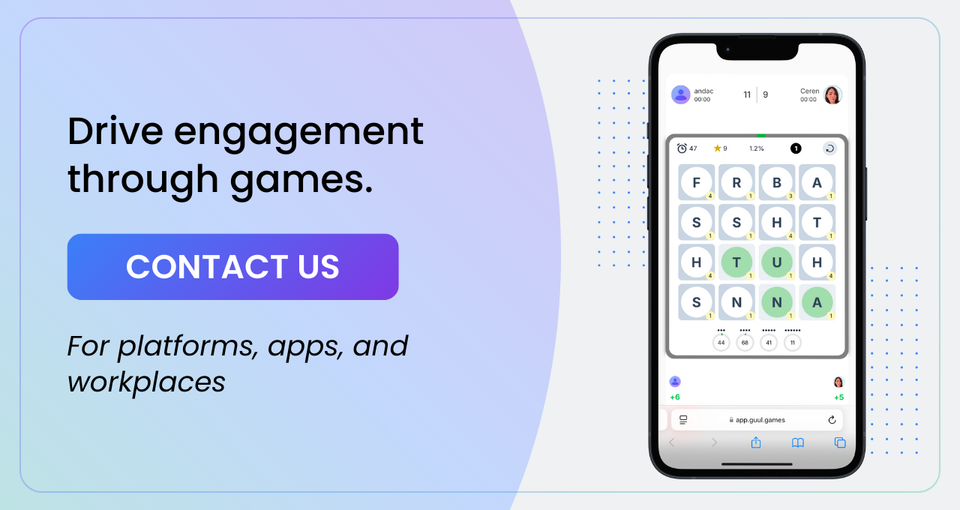
A Scrabble or Boggle round runs directly inside an active Google Meet or Teams call with mics and cameras on. Participants compete to form the highest-scoring words within a time limit. The shared screen means everyone can see the board simultaneously, which creates real-time reactions and informal conversation that a verbal-only icebreaker cannot generate.
- Best for: Language-oriented teams, creative teams, any meeting where warming up thinking matters
- Why it works: Competitive word games activate verbal and strategic thinking, which carries directly into discussion-heavy meetings
8. Match & Pass / UNO (Google Meet and Microsoft Teams)
Match & Pass is GUUL's UNO-style card game that runs directly inside an active Google Meet or Teams call. Players match cards by color or number and race to empty their hand first. The format is immediately familiar to almost everyone, which eliminates any learning curve and means the game is competitive from the first card. A round takes five to eight minutes, making it the right length for a proper pre-meeting warmup without eating into the agenda.
- Best for: Any team size, any meeting type, teams with mixed backgrounds
- Why it works: Universal familiarity removes the friction of learning rules; the competitive pace generates the kind of table talk that carries energy into the meeting
9. Minesweeper (Google Meet and Microsoft Teams)
Minesweeper runs directly inside Google Meet and Teams calls as a shared experience. One participant navigates the board while the rest of the team advises, argues, and reacts in real time. The collective tension of watching someone navigate a minefield is one of the most naturally engaging shared experiences in any game library. For teams that enjoy strategy and probability, it sparks the kind of analytical conversation that transfers directly into problem-solving meetings.
- Best for: Analytical teams, engineering and product teams, meetings where strategic thinking needs warming up
- Why it works: Collective decision-making under pressure generates organic discussion and genuine reactions without any facilitation required
10. Battleship (Google Meet and Microsoft Teams)
Battleship runs directly inside active Google Meet and Teams calls. Two participants play head-to-head while the rest of the team spectates and reacts on the shared screen. The combination of strategy, hidden information, and the satisfying moment of a hit generates sustained engagement across a five to seven minute game. Running a weekly Battleship champion format across recurring meetings creates a competitive ritual that teams genuinely look forward to.
- Best for: Teams with a competitive culture, recurring weekly meetings, kick-off sessions
- Why it works: Hidden information and the anticipation of each move create sustained collective tension that a verbal icebreaker cannot replicate
How to choose the right icebreaker for your meeting
Three variables determine which format fits: meeting size, team familiarity, and the energy level you need coming out of the icebreaker.
Meeting size is the most practical constraint. No-tool verbal rounds work well for meetings up to fifteen people. Above that, the round takes too long and energy drops before the agenda begins. For larger meetings, simultaneous formats like polls, emoji check-ins, or in-meeting game tournaments where the rest of the team spectates work better.
Team familiarity shapes which formats feel natural. New teams or cross-functional groups with little shared history benefit from low-stakes formats: a quick poll, an emoji check-in, or a short game where the result matters more than personal disclosure. Established teams can handle formats with more personality: hot takes, the shared object challenge, or a competitive game with a running champion format.
The energy level you need affects format choice more than most facilitators realize. A meeting that needs high energy coming out of the icebreaker, such as a brainstorm or a difficult conversation, benefits from a competitive game format where adrenaline carries forward. A meeting that needs focus and calm, such as a retrospective or a planning session, benefits from a quieter format like a one-word check-in or a puzzle.
| Icebreaker | Participation | Team familiarity | Energy output |
|---|---|---|---|
| One-word check-in | Everyone speaks | Low | Calm |
| Two-question poll | Everyone responds | Low | Moderate |
| Emoji check-in | Everyone responds | Low | Low |
| Hot take round | Everyone speaks | High | High |
| Shared object challenge | Everyone on camera | Moderate | High |
| Word game (Scrabble/Boggle) | Up to 8 play, rest watch | Low | Moderate |
| Chess | 2 play, rest watch | Low | Moderate |
| Match & Pass (UNO) | Up to 4 play, rest watch | Low | High |
| Minesweeper | 2 play, rest watch | Low | Moderate |
| Battleship | 2 play, rest watch | Low | High |
How GUUL brings icebreakers into Microsoft Teams and Google Meet
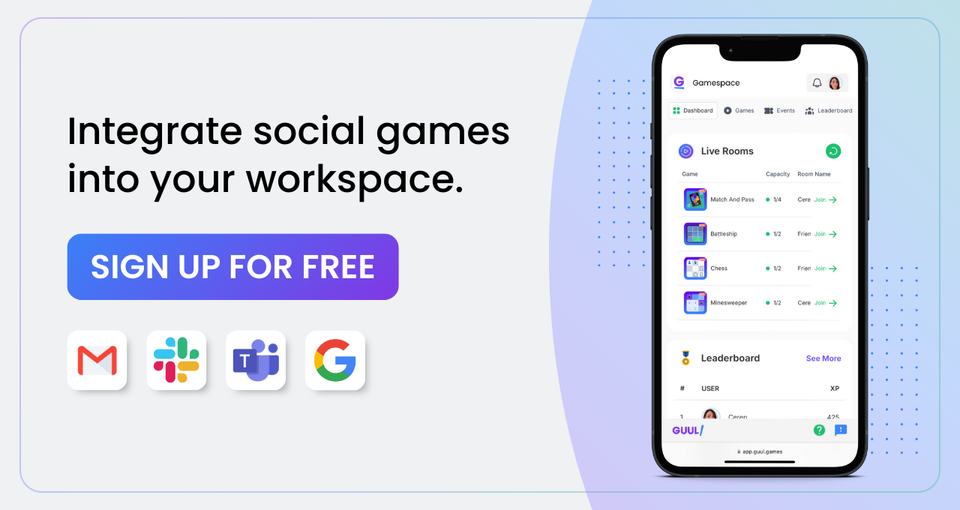
GUUL for Microsoft Teams adds multiplayer social games directly into the Teams workspace. Social games are designed to be played with mics and cameras on during an active meeting, which means the game and the conversation happen simultaneously rather than in separate windows. Match & Pass, Minesweeper, Battleship, Chess, and more all run inside an active Teams call without requiring participants to switch applications.
GUUL for Google Meet brings the same multiplayer game library into active Google Meet calls. Scrabble, Boggle, Chess, Match & Pass, Backgammon, Battleship, Minesweeper, and more are all playable directly inside the meeting without participants needing to open a separate tab. The shared screen means the whole team sees the same board in real time, which is what creates the collective reaction that makes an icebreaker actually work.
Both integrations are available from their respective app marketplaces. GUUL for Teams is available on the Microsoft Teams App Store. GUUL for Google Meet is available on the Google Workspace Marketplace. Installation takes minutes, and the first game can be running inside a meeting the same day.
Key Takeaways
- Choose simultaneous formats over sequential ones for meetings larger than fifteen people. A verbal round where each person takes a turn loses energy before it finishes.
- For virtual meetings, formats that produce a visible real-time result on screen, whether a poll, a game board, or a leaderboard, outperform verbal-only activities because they give everyone something to react to together.
- In-meeting game formats via GUUL remove the facilitation burden entirely. The competitive mechanic does the engagement work without the facilitator having to manage energy.
- Match the energy output of the icebreaker to what the meeting needs afterward. High-energy competitive formats work before brainstorms and difficult conversations. Quiet formats work before focused planning sessions.
- A recurring icebreaker ritual, such as a weekly game champion or a daily puzzle leaderboard, generates more sustained engagement than varying the format each time. Consistency creates anticipation.
Frequently Asked Questions
What are good icebreakers for virtual meetings?
The most effective ice breakers for virtual meetings are formats that produce a visible shared result in real time. Live polls with instant results, in-meeting game formats like word games or quick strategy games, and emoji check-ins all work well because every participant is doing something simultaneously rather than waiting their turn. For teams using Microsoft Teams or Google Meet, GUUL's in-meeting game formats run directly inside the call without switching platforms, which removes the friction that kills most virtual icebreaker attempts.
How long should an icebreaker for a meeting take?
Five minutes or less for most meeting types. An icebreaker that takes ten minutes or more stops being a warm-up and starts competing with the agenda for attention. The sweet spot is two to five minutes for small teams and under three minutes for larger groups where sequential formats would take too long.
What are the best team icebreakers for large groups?
For large groups, simultaneous formats work best: a live poll where everyone responds at once, an emoji check-in in the chat, or an in-meeting game tournament where two participants compete while the rest spectate and react. Sequential verbal rounds where each person takes a turn are effective for teams of up to fifteen but lose energy in larger groups before everyone has spoken.
What makes a fun ice breaker for work?
The formats that consistently generate genuine engagement involve light competition rather than personal disclosure. When participants are ranked or scored, they engage to improve their position rather than because they feel socially obligated. In-meeting games with a clear winner, like Battleship, Match & Pass, or Chess, all use this mechanic. Formats that require personal stories or vulnerability work for established teams but frequently produce discomfort in new or cross-functional groups.
Can icebreaker games be played directly inside Microsoft Teams or Google Meet?
Yes. GUUL's integration with Microsoft Teams allows multiplayer social games including Match & Pass, Battleship, Minesweeper, Chess, and more to be played directly inside active Teams meetings with mics and cameras on. GUUL's Google Meet integration brings the same game library into active Google Meet calls, with the game board visible on the shared screen for the whole team. Both integrations are available from their respective app marketplaces and require no separate application or browser tab.
See how GUUL works in Microsoft Teams → See how GUUL works in Google Meet →